
Organise PDF
Merge PDF files
Merge PDF files with supported bookmarks, forms and page labels. Choose 2 to 20.
Choose files
Choose between 2 and 20 PDF files, up to 120 MB in total.
Combine PDFs into one document
Arrange two or more PDFs in the order their pages should appear, then save the combined copy. The source files stay separate and unchanged.
Choose the first file carefully
The first PDF is the base document. Its language settings and viewer preferences are used for the combined file, so put the document with the required settings first.
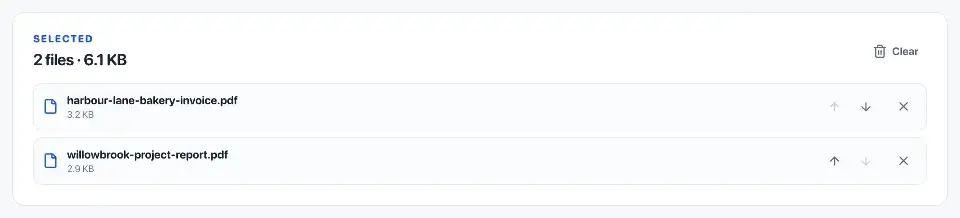
Arrange the other files before merging. For an application, that might mean the completed form first, supporting records next and an appendix last. Check the required order with the recipient.
Review navigation, forms and warnings
Supported bookmarks, form values, attachments and page labels are carried into the merged PDF. Links to retained source pages are updated to their new positions.
Merging invalidates digital signatures because it creates a different file. Accessibility tags that cannot be combined are removed with a warning. PDF/A, PDF/E, PDF/X, PDF/UA and XFA inputs are refused because their special structures cannot be preserved reliably.
If two files use the same named destination, the merge stops. Correct the conflicting navigation in the source files with a suitable PDF application before trying again.
Open the combined PDF before sending it
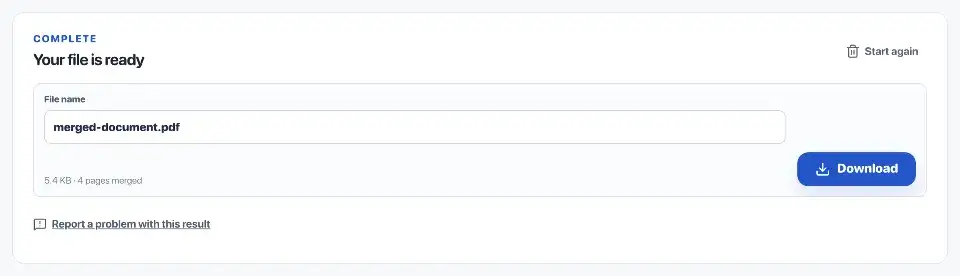
The tool checks the assembled pages and supported navigation, forms and attachments before offering a download. A failed check produces an error rather than a file.
Open the saved copy in another reader and inspect the joins between documents. Confirm the order and test any bookmarks, form values or attachments that the recipient needs.
Questions
How are multiple PDFs combined?
Choose the files, set their order and merge them. The first PDF supplies the base structure, and the source files remain unchanged.
Are pages converted to images?
No. Pages remain PDF pages, while supported bookmarks, forms, attachments, labels and destinations are carried into the merged copy.
How is the file order changed?
Move each file up or down before starting the merge.
Which PDFs must be prepared before merging?
Password-protected PDFs must be unlocked first. PDF/A, PDF/E, PDF/X, PDF/UA or XFA files need a standard PDF copy. Very large files may also exceed the memory available on your device.